

MENU
WiNRADiO G305 Demodulators |
|
|
| G305 Standard Demodulator
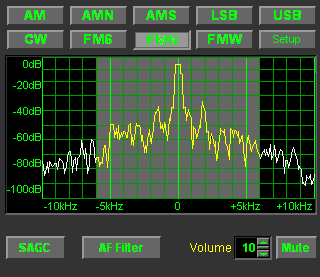
Standard Demodulator with Wide-FM option installed. |
This demodulator is supplied as standard part of the G305 receiver package. It features AM, AMS (synchronous AM), AMN (narrow band AM), LSB, USB, FM6 (6 kHz FM), FMN (15 kHz FM) and CW modes, with fixed bandwidths (the FMW mode is optional). There is a real-time spectrum scope which shows the actual situation on the received band. An interesting feature is Software AGC (i.e. digital AGC, in addition to the conventional analog AGC). The dual-loop AGC of the G305 receiver makes it possible to process the weakest as well as the strongest signals with equal clarity. As the power of an ordinary PC does not yet allow to process the bandwidth of a wide-FM modulated signal (broadcast FM) directly, the option to receive wide-FM is offered separately. The Wide-FM Demodulator Option is based on conventional hardware (i.e. it is not software-defined) as an independent "receiver in a receiver". If this option is installed and selected, the real-time spectrum scope shows the demodulated signal audio spectrum instead of the radio frequency spectrum. |
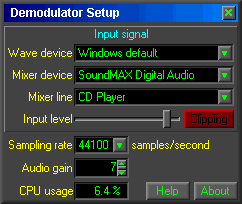
| Clicking the Setup button, another window opens, making it possible to adjust the necessary minimum number of parameters for optimum performance: |
The user adjustable parameters include the sound card selection, sampling rate (48000 samples/sec is recommended, 44100 can be also used), and the sound card input gain. A clipping (input level overload) indicator and a CPU usage meter are also provided for the user's convenience. With a minimum of initial set-up, the demodulator (and so the G305 receiver) are ready to go! |
| G305 Professional Demodulator
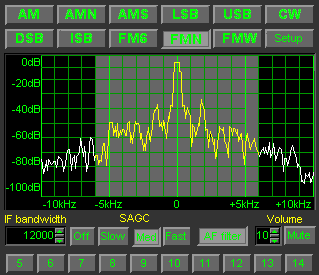
Professional Demodulator with Wide-FM option installed. |
This advanced demodulator is offered as an optional extra. It adds DSB and ISB modes, additional Audio AGC settings and continuous IF bandwidth adjustment (from 100 Hz to 15 kHz). There are also user-definable IF bandwidth preset buttons at the bottom. Many more exciting facilities are hidden under the Setup button: Optimized filter settings make it possible to increase the receiver sensitivity typically by 2 dB on AM, SSB and FM; and by up to 10 dB on CW. |
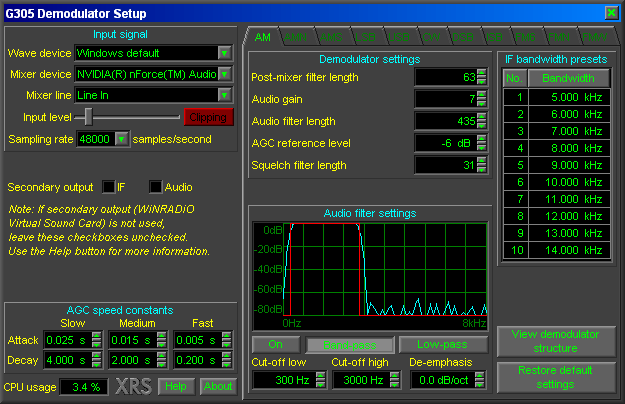
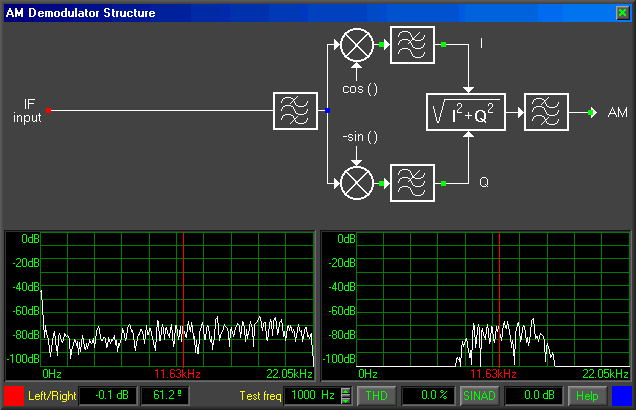
Clicking on the View Demodulator Structure button reveals an interactive diagram of the demodulator structure:
|
|
|
|




 The G305 Professional Demodulator can be purchased later as a separate option, or bundled together with the G305 receiver, with a cost advantage. The model number of such bundled product is WR-G305i/PD (PCI version) or WR-G305e/PD (USB version). As a separate option, the Professional Demodulator can be purchased via our